Return of the vibrating mouse: Logitech MX Master 4 review
The latest premium rodent comes with a new haptic interface and a range of ideas above its station

When my brother got married in 2002, he asked what I wanted as a best man's gift. Normal people request cufflinks or whisky. I asked for a Logitech MX700. A mouse. At a wedding. To his eternal credit, he didn’t question it, and that mouse went on to survive ten years, three continents, and several PC builds held together by hope and thermal paste.
So yes, I have a long history with Logitech gear - long enough to see the company cycle through a wide variety of ergonomic experiments. TrackMan Marbles. MX Verticals. Ergo keyboard, even its G19 gaming keyboard. Devices designed by people who clearly had hands and wanted to keep using them. The MX Master 4 is very much an heir to that tradition… with a few new tricks and one genuinely unusual feature that makes you stop and think: Oh, that’s different.
A shape that still makes sense in 2025
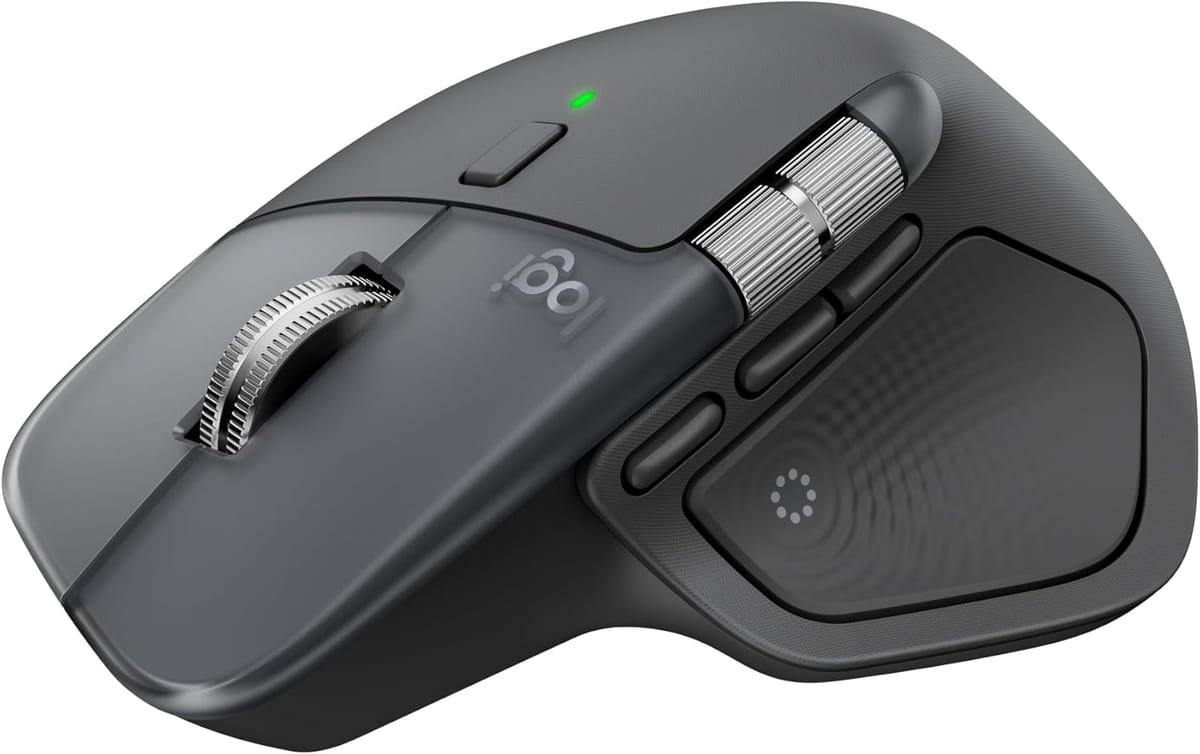
Logitech continues to carve plastic in ways other companies can only approximate. The Master 4 is comfortably weighty, properly sculpted and absolutely, uncompromisingly right-handed. Left-handers may look upon it, but they will not operate it.
Clicks are crisp, the main scroll wheel retains its clever ratchet/free-spin party trick, and the horizontal wheel returns to do what it always does: make you feel like a productivity god until you accidentally fidget-scroll a massive spreadsheet into next week.
Software that wants the mouse to be more than a mouse
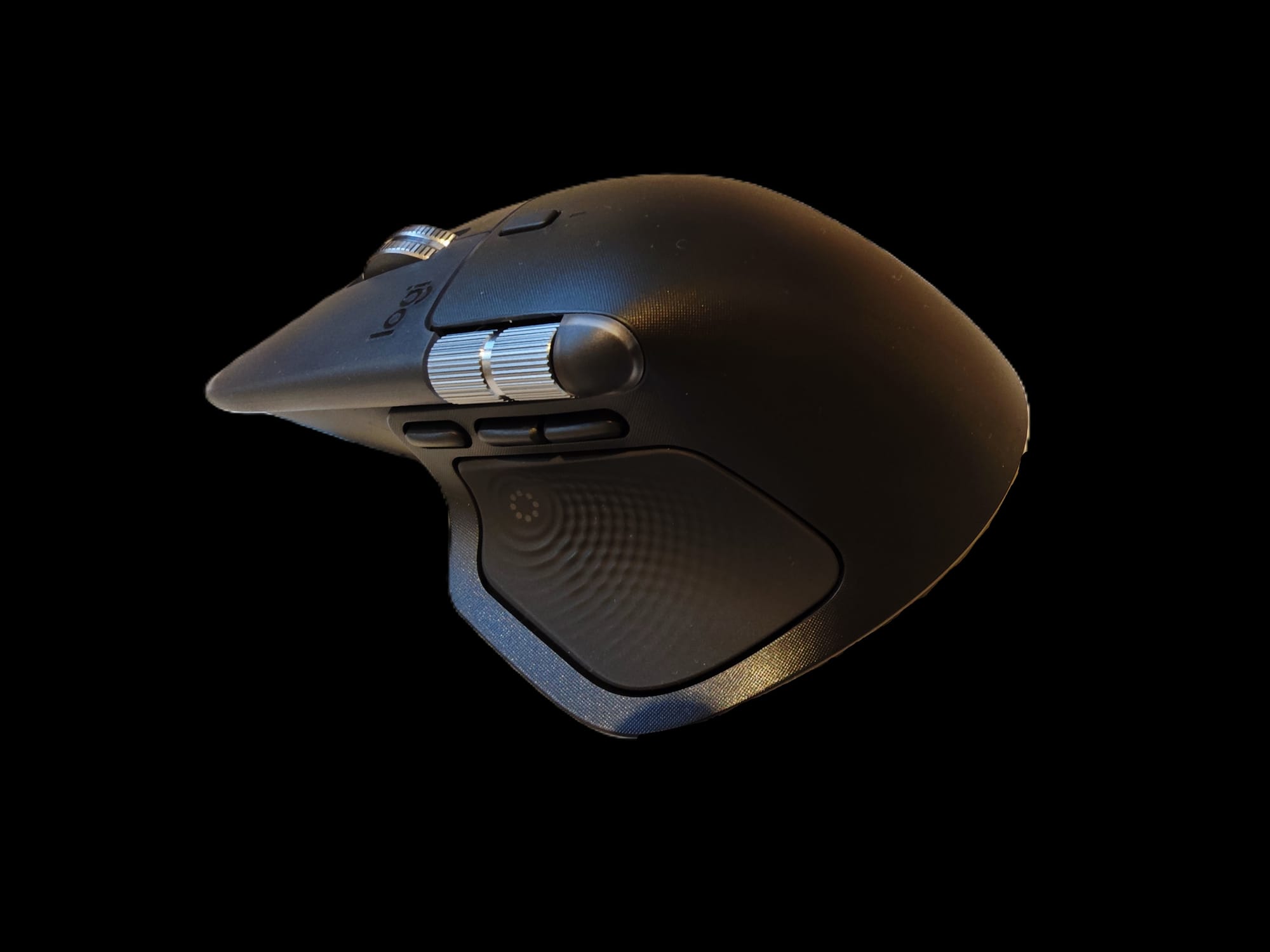
Out of the box, it’s a pointer. Install Logitech’s software and it turns into something more… ambitious.
- Actions ring – a pop-up of app-aware radial shortcuts
- Smart actions – with the ability to create macros, triggers and multi-step workflows
- AI prompt builder - yes, the mouse can now fire off ChatGPT summaries or draft emails without needing to alt-tab between apps.
This is where things get interesting. Because once you start thinking of the MX Master 4 as a workflow surface rather than a “mouse”, you start spotting unconventional uses - OBS controls, focus-mode switching, control tweaks, scrubbing through audio timelines, notification muting, you name it. Logitech didn’t pitch it this way, but the flexibility is there.
The haptic thumb pad: genuinely new, delightfully strange
Here’s the big twist. The old gesture button is gone, replaced with a glossy thumb pad that buzzes back at you. Not just a generic vibration - contextual haptics.
At launch, the plugins list is… short. Three apps: Photoshop, Lightroom, Zoom. That’s not an ecosystem; it’s barely a starter pack.
But the concept? Far more exciting. A tactile input area on a mainstream mouse hasn’t really been done before. And once you start imagining what it could do, you realise this is the first productivity mouse in ages that opens the door to genuinely novel interactions:
- A subtle pulse when you hit key points on a video timeline
- Haptic nudges for notifications without on-screen clutter
- Feedback when switching layers, modes or tools
- Silent “reminder taps” for focus breaks
- Accessibility cues
- Even game-adjacent uses (weapon cycling, reload confirmations, directional pings)
Right now, it’s an impressive piece of hardware waiting for someone - Logitech or otherwise - to unleash its potential.
A neat little touch: when the mouse is turned off, the pad goes “dead” - no feedback, no click. It’s a small but oddly intuitive detail.
The ergonomics: a reminder that Logitech still designs for humans
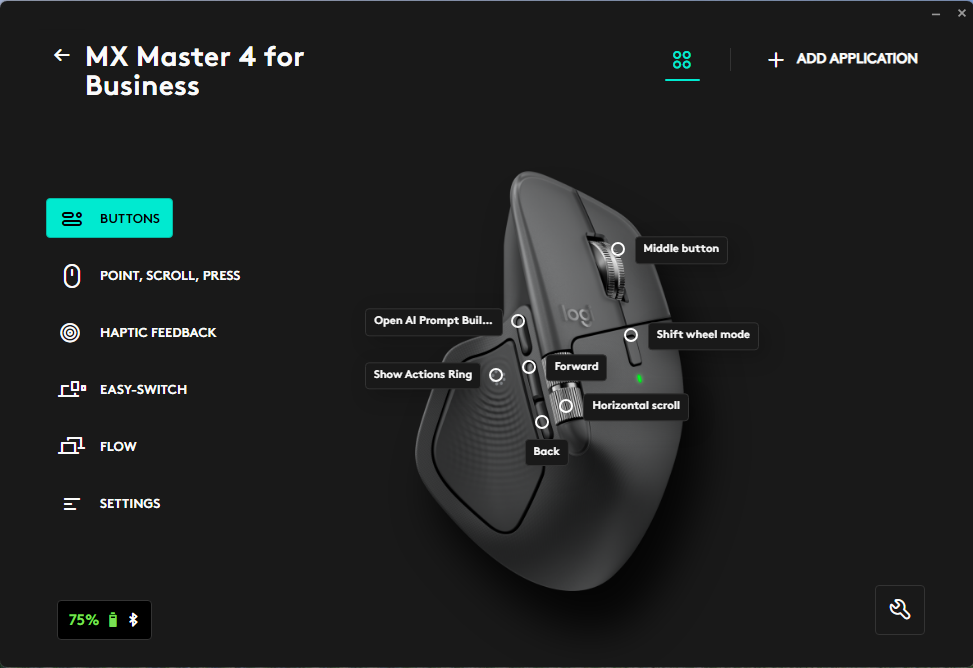
From the Wave keyboard to the Ergo K860 to the MX Vertical, Logitech has spent years making kit shaped for human beings rather than showroom photos. The Master 4 continues that lineage: the shape works, the posture is comfortable, and the thumb rest remains one of the mouse’s most underrated features.
It feels like a product designed by someone who actually uses computers for eight hours a day.
Other small wins
- Battery life: still in the weeks, not days, category
- Cross-platform support: everything short of a toaster
- App-specific configuration: still one of Logitech’s strongest suits
- Build quality: rugged enough to outlive several laptops
Should you actually buy it?
If you have an MX Master 3 or 3S, the decision comes down to this: Do you want to bet on Logitech’s haptic future? The hardware improvements are incremental; the thumb pad is the wildcard.
If you’re upgrading from anything more basic, the MX Master 4 is a revelation, but then again, so is the £119 price tag (at time of writing). An ergonomic shape that actually fits, software that can be bent to your workflow, and a haptic input surface that - if Logitech follows through - could evolve into something genuinely new.
Verdict:
A premium mouse with a curious new limb and aspirations far beyond pointing and clicking. The haptic pad is either the start of something clever or a beautifully engineered oddity - but even if the ecosystem never grows, the MX Master 4 remains one of the best, most adaptable, most ‘this could do more than you think’ mice money can buy.
My brother is still married, but if ever gets married again, I have a good idea about what best man gift I’ll be asking for. In the interim, thanks to Logitech for providing this unit for review.