Battle of the dual-screen laptops: Asus Zenbook Duo vs Lenovo Yoga Book
"It's a slightly odd category - but both devices make a convincing case that two screens can be more than a trade-show gimmick."

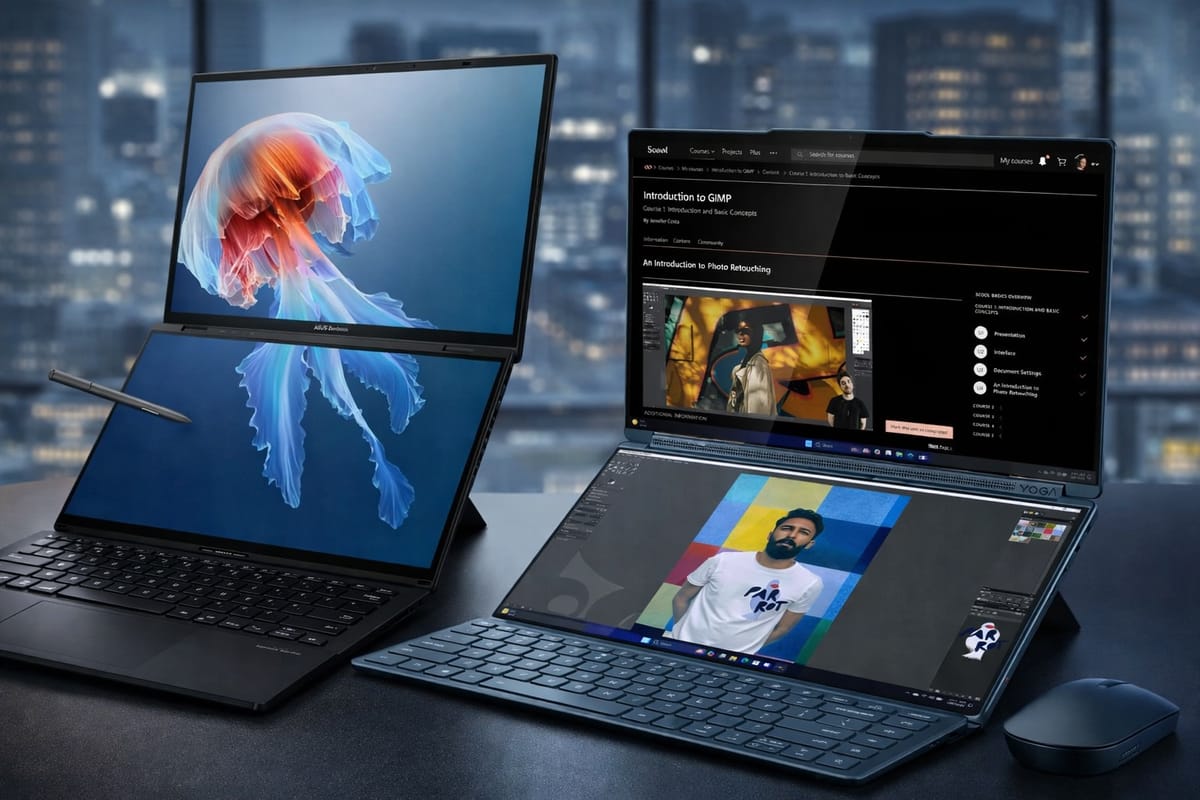
Like a lot of people, I connect my laptop to a bigger monitor when I’m at my desk, but that means that when I’m on the go - or working out in the garden on the rare occasion the sun shows up - I suddenly feel the pinch of limited screen real estate. Enter the dual-screen laptop.
It is still a slightly odd category, mind you. Most notebooks are content to be, well, notebooks. These two have looked at the humble clamshell and decided it needs more OLED, more hinges, more software and more general faffing about. And yet, against all odds, both the Asus Zenbook Duo and Lenovo Yoga Book 9i make a convincing case that two screens can be more than a trade-show gimmick.
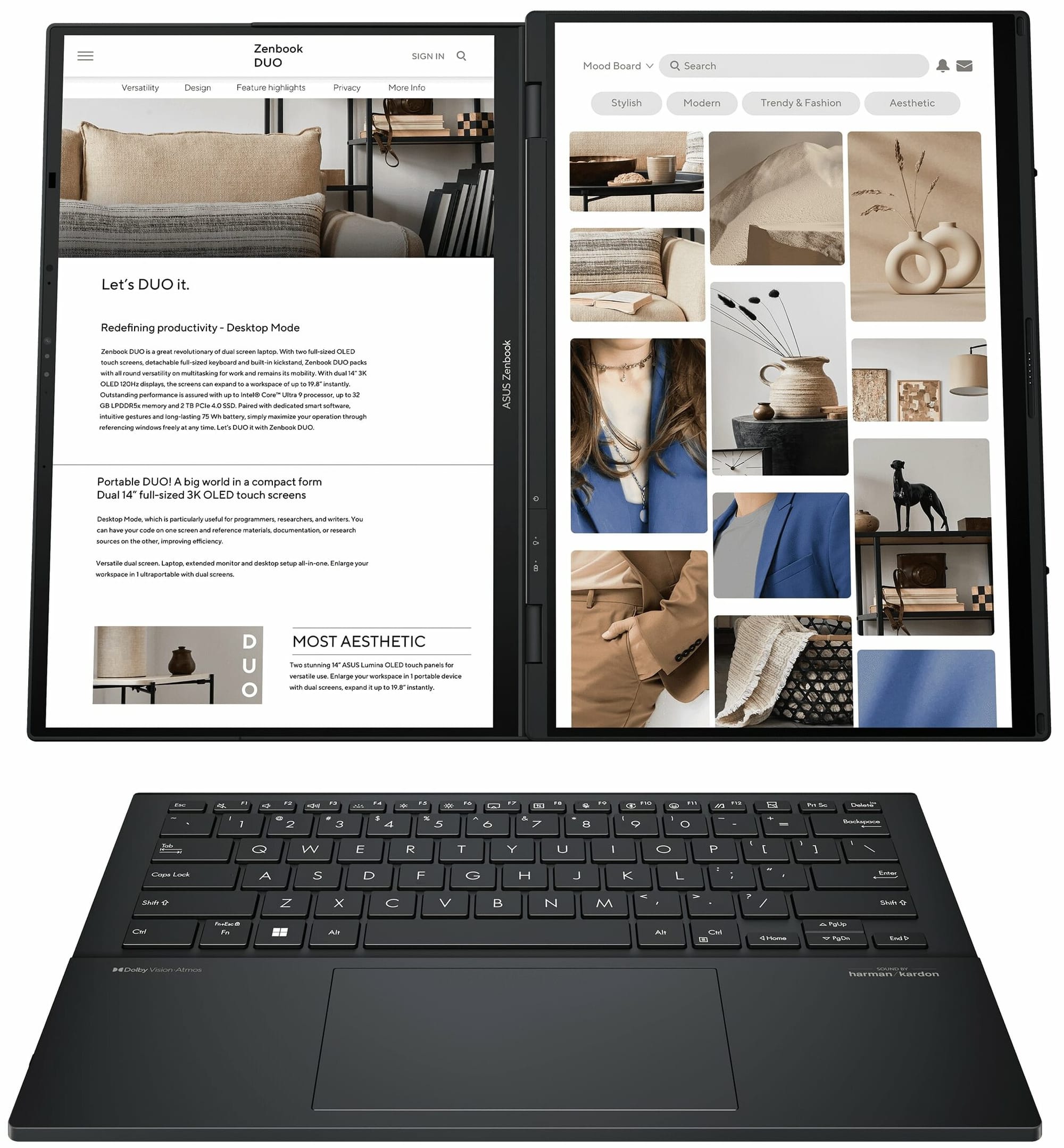
Used well, the format is genuinely handy. One screen for writing, one for research. One for Photoshop, one for tools. One for work, one for the endless tide of messages reminding you that modern employment is basically an administratively enhanced haunting. Both machines are built around that basic pitch: two 14-inch OLED touchscreens, detachable keyboards, Intel Core Ultra chips and enough flexibility to keep the multitasking classes happy.
The Asus pairs that with a built-in kickstand, up to 32GB of memory, up to 2TB of storage, and a properly useful port selection. Lenovo’s answer is a little more glamorous, with a lighter design, a bigger battery, a soundbar hinge, and a more obviously creative bent. That difference in personality is really what this comparison comes down to. The Lenovo feels more artistic. The Asus feels more corporate. That is not meant as an insult. In fact, for a lot of people it will be the Asus that makes more sense, because while both devices are odd, the Zenbook Duo is odd in a more practical way.
Design and portability: tidy vs practical
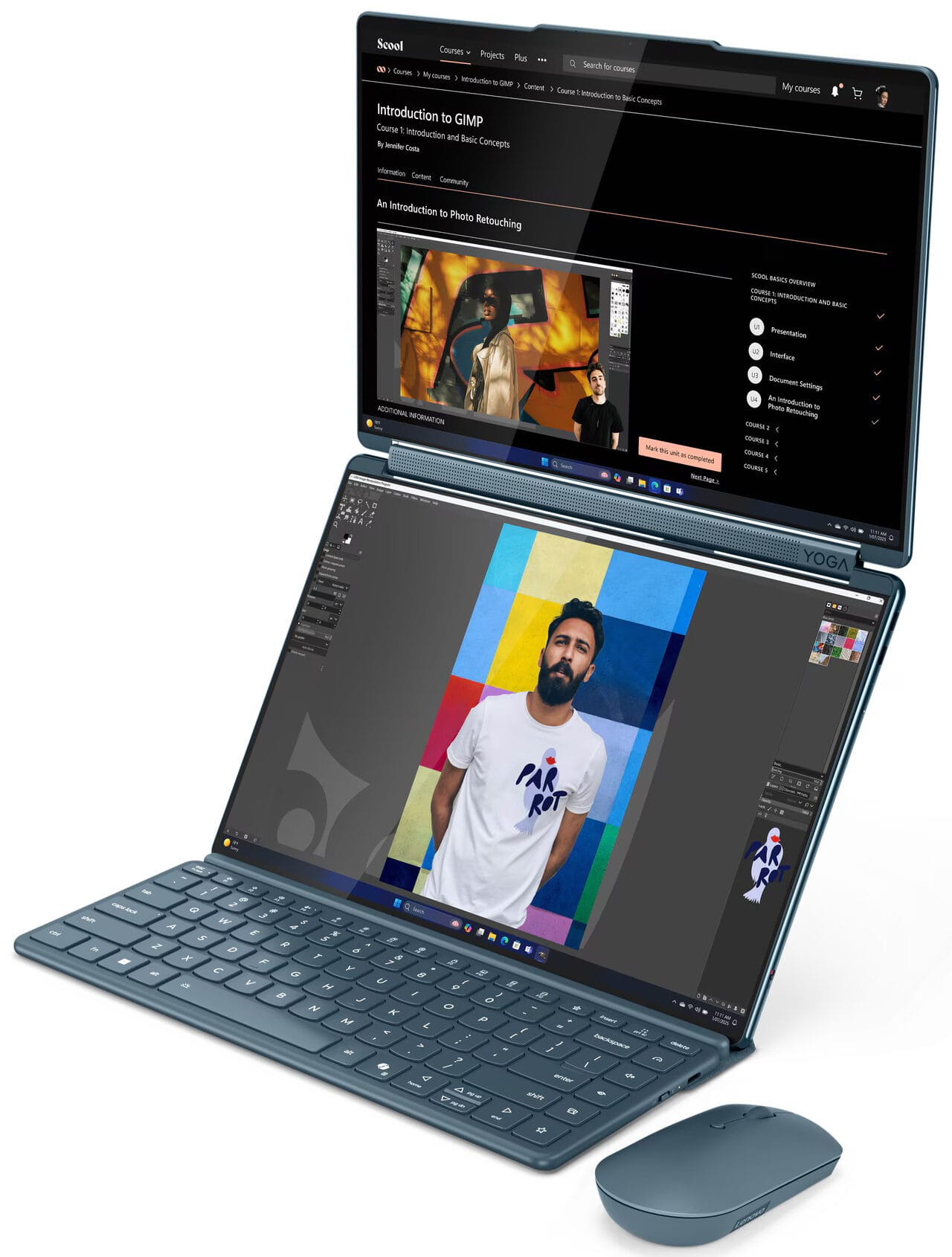
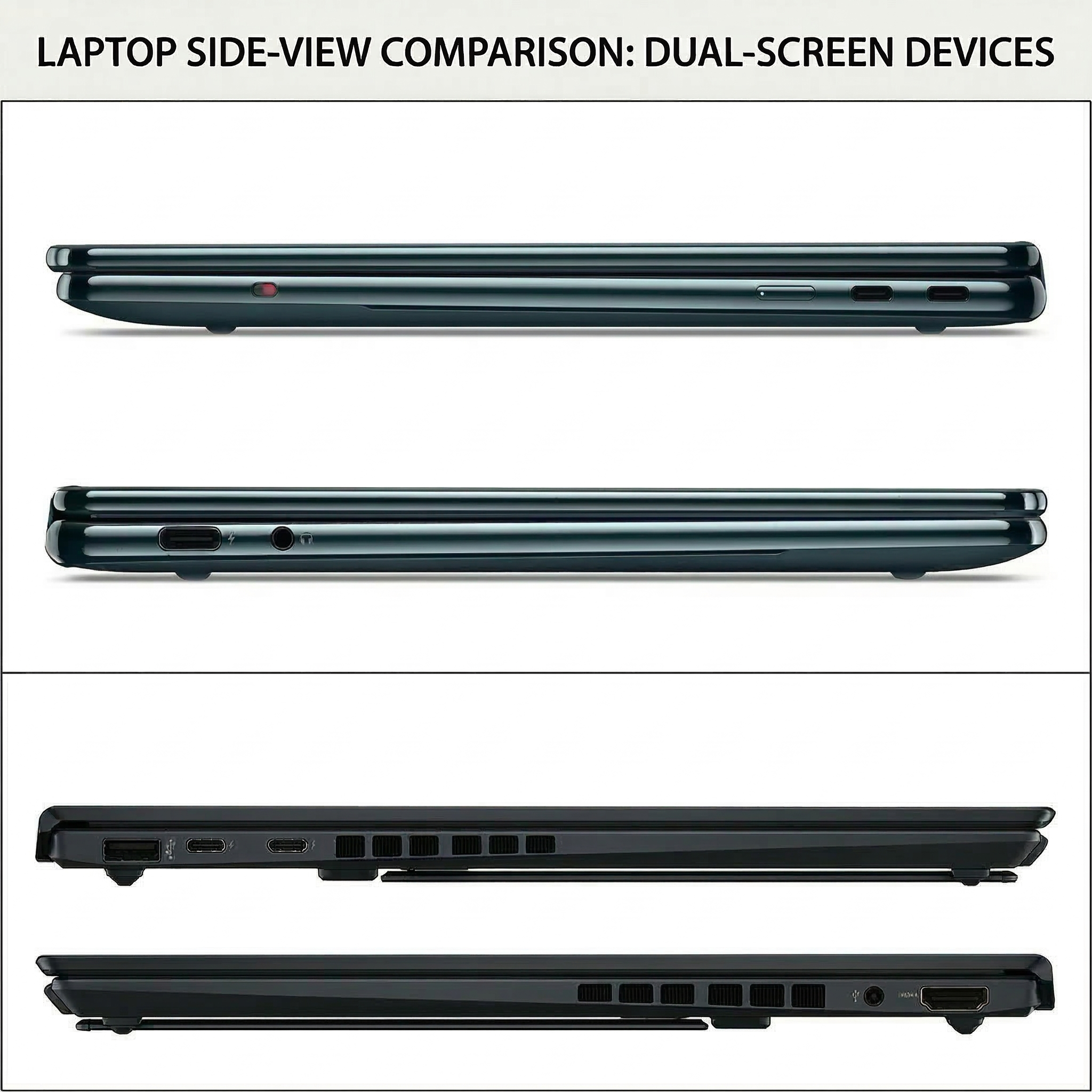
The Yoga Book is the prettier design. It closes flat, and Lenovo has thought through the logistics a bit better: the keyboard and pen can attach magnetically to the lid, which makes the whole thing feel tidier when you are moving around. The Zenbook is less elegant. Close it without the keyboard attached and you are left with a gap. If you are not using the keyboard, there is nowhere particularly neat to stash it, or the pen, unless you are carrying a sleeve and keeping track of yet another bit of kit.
That said, the Zenbook’s awkwardness is paired with a more practical mindset. It feels designed by people who assumed you might actually want to get work done on the thing rather than just admire it from an interesting angle. The Yoga Book feels more refined and better resolved as an object. The Zenbook feels more grounded as a tool.
Stands and modes: flexibility vs convenience
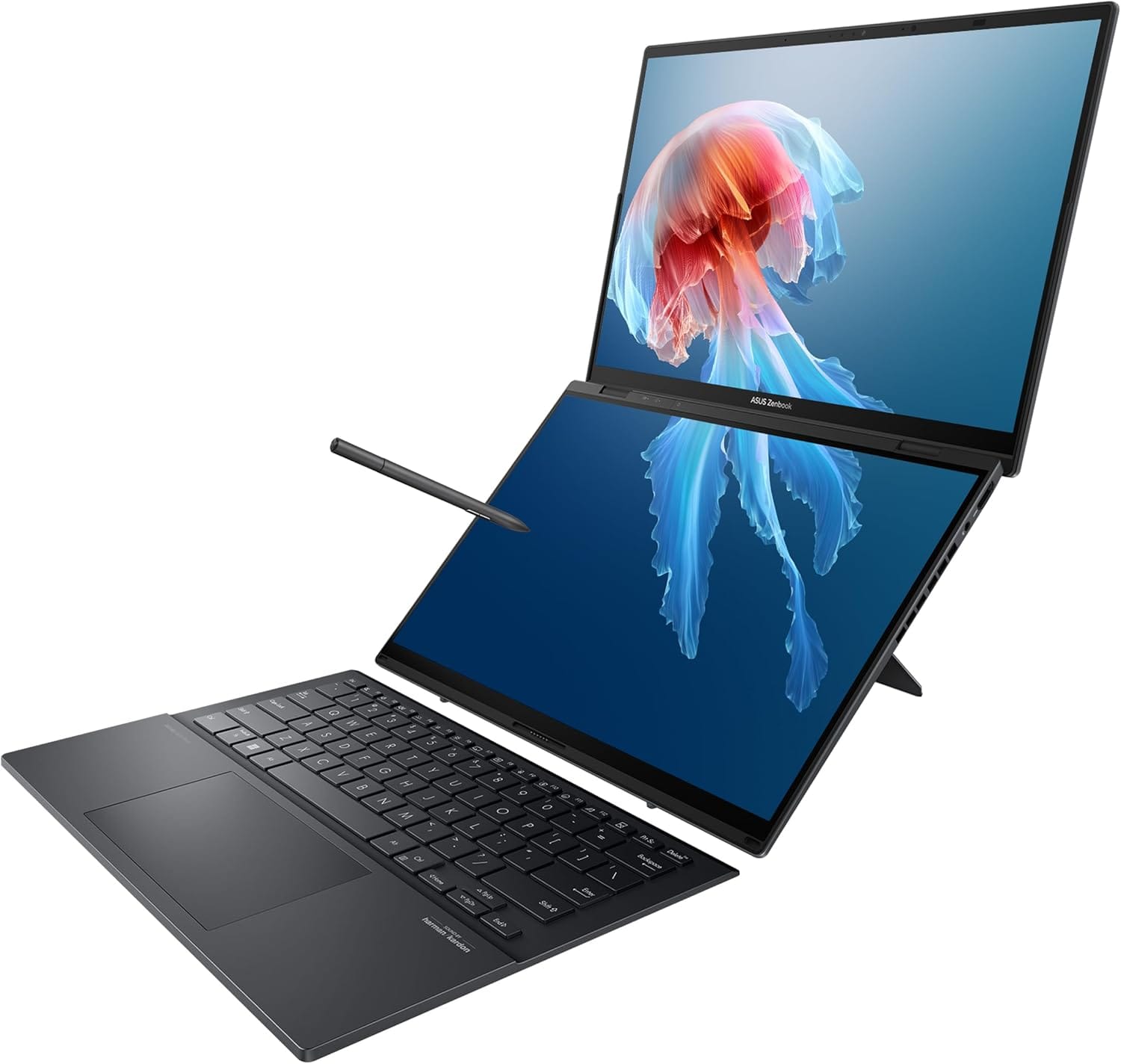
The stand arrangements reveal how differently these machines think. Asus builds the kickstand into the laptop itself, and that is a blessing. It lets you angle both screens to suit your setup and feels far more self-contained when you want to prop the machine up and get on with some actual work.
Lenovo’s big party trick is the 360-degree hinge, which gives it proper tent mode and more overall theatrical flexibility. But if you want to use it in a more upright, desktop-style arrangement, you are relying on the separate folding cover, which is less elegant and only gives you two angles to play with.
It ultimately comes down to your preference and use case. While Lenovo is more versatile, the Asus is more practical. One is the acrobat, while the other just does the job.
Keyboards and input: smart ideas, awkward compromises
The keyboards tell a similar story. On the Lenovo, the physical keyboard has no touchpad, which means you are relying on the touchscreen touchpad or a separate mouse for proper pointer control. That is fine on a desk and less fine when you are trying to work in the sort of cramped travel scenarios laptop adverts politely omit.
The Asus full keyboard-and-touchpad combo is more functional in the traditional sense, but it is not perfect either. Because it is so slim, it can feel a little awkward when you are using it undocked on your lap or balancing it on a less-than-ideal surface.
READ MORE: Clevetura CLVX S review: Where we’re going, we don’t need a mouse
Still, Asus has one very practical advantage here: the keyboard docks to the lower screen via pogo pins, so you do not have to worry about keeping it charged. Lenovo’s Bluetooth keyboard is slicker-looking, but its battery is one more thing to keep an eye on.
Both can connect over USB-C in a pinch, but only one of them sidesteps the issue entirely when docked. As such, this is a rare case where the uglier solution may well be the better one.
Displays: two excellent ways to spoil yourself
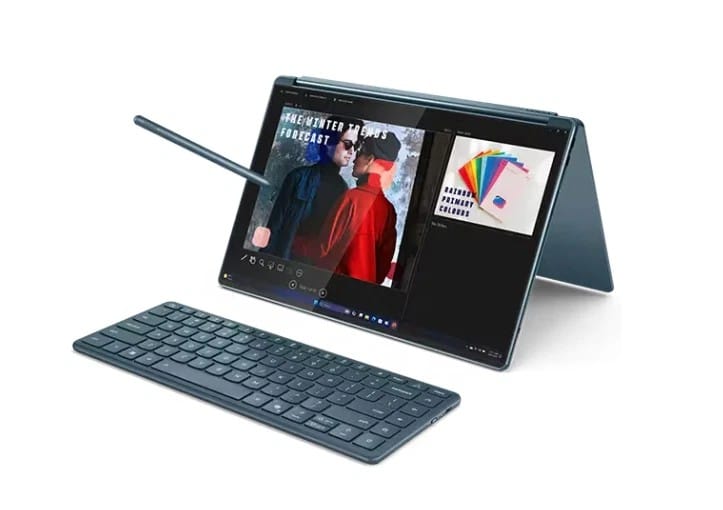
Display quality is excellent on both, which is what you would hope for at these prices unless the laptop industry has finally abandoned all shame. Both give you two sharp, vibrant 14-inch OLED touchscreens that make normal laptops feel a bit mean-spirited by comparison.
In real-world use, this is not a contest between a good screen and a bad one. It is a contest between two very good twin-screen setups. For writing, browsing, editing images or pretending you are definitely going to do proper video work on the train, both are excellent.
The bigger point is not that one screen is miles better than the other. It is that once you get used to having two of them, going back to a single display feels oddly primitive.
Speakers: Lenovo has the richer sound

Laptop speakers are never going to produce some glorious orchestral wall of sound unless physics packs up and leaves the building, but both are perfectly adequate for everyday use. Between the two, though, the Yoga Book has the edge.
Its soundbar gives it slightly better quality overall, with a deeper and richer sound than the Zenbook Duo. Asus is perfectly serviceable. Lenovo is just a bit fuller and more pleasant when you are streaming video, listening to music or sitting through yet another meeting where somebody says ‘quick question’ and then burns half an hour of your life.
Sound quality is unlikely to be a deciding factor for anyone, but it is one of those smaller quality-of-life details that nudges the Yoga Book a little further ahead on the ‘nice thing to own’ scale.
Software and screen management: both need taming
Software matters more than it should on dual-screen machines, because without good screen management you are basically buying a very expensive puzzle. Both Asus and Lenovo have dedicated apps to handle layouts, gestures and screen behaviour, and both need a bit of tinkering before they really click.
Out of the two, Lenovo’s software feels more intuitive. Asus still gets the job done, but it takes a little more poking around before everything settles into a setup that feels natural. That is not unusual for this category. A dual-screen laptop is still the sort of device you have to learn a little before it starts paying you back.
There is no escaping it: part of the ownership experience here is fiddling. The good news is that once you have the fiddling out of the way, the extra screen starts to feel surprisingly natural.
Value for money: this is where Asus lands the hit
Then there is the small matter of price, where the whole thing gets awkward for Lenovo. The Asus Zenbook Duo with a Core i9, 32GB of RAM and 2TB of storage comes in at around £1,700. The Lenovo Yoga Book 9i with a Core i7, 32GB of RAM and 512GB SSD is around £2,200.
Step up to the Lenovo Core i9 1TB version and you are at roughly £2,519, which is basically the same territory as the upcoming Asus Zenbook Duo using Intel’s new Panther Lake chip.
And that is the problem for Lenovo. Its prettier design, cleaner closed form, nicer speaker setup and more intuitive software all have real value. But they do not obviously add up to that much extra value. Not when the Asus gives you more storage, a more practical keyboard arrangement, a built-in stand and a wider port selection for a lot less money. At some point aesthetics have to stop fluttering their eyelashes and justify themselves.
Verdict: the one I prefer vs the one I’d recommend
I slightly prefer the Lenovo. It is the one with more aesthetic charm. It feels more distinctive, more polished, more ‘designed’ in the emotionally manipulative way premium hardware often aims for. If your use case leans creative, portable and a bit more free-form, it has real appeal.
But the Asus Zenbook Duo is the one that makes the more rational pitch. The built-in stand is better. The ports are better. The keyboard arrangement is more functionally complete. The pogo-pin docking is smarter. And once price enters the room swinging a chair, it becomes very hard to justify Lenovo’s premium.
And therein lies the rub - the Lenovo Yoga Book 9i is the one I admire more, the Asus Zenbook Duo is the one I would recommend more readily. In the strange little world of dual-screen laptops, that is the difference between a beautiful idea and a useful machine.